1
/
of
1
SANWA SUPPLY
USB Extender USB-RP40
USB Extender USB-RP40
GTIN(JAN):4969887582855
SKU:USB-RP40
Regular price
¥12,923 JPY
Regular price
Sale price
¥12,923 JPY
Quantity
Couldn't load pickup availability
Important: Return Policy
Please review your order carefully before completing the purchase. We do not accept returns or exchanges for customer errors (e.g., wrong size, color, or accidental purchase)
[USB 1.1 Device Extender up to 40m]
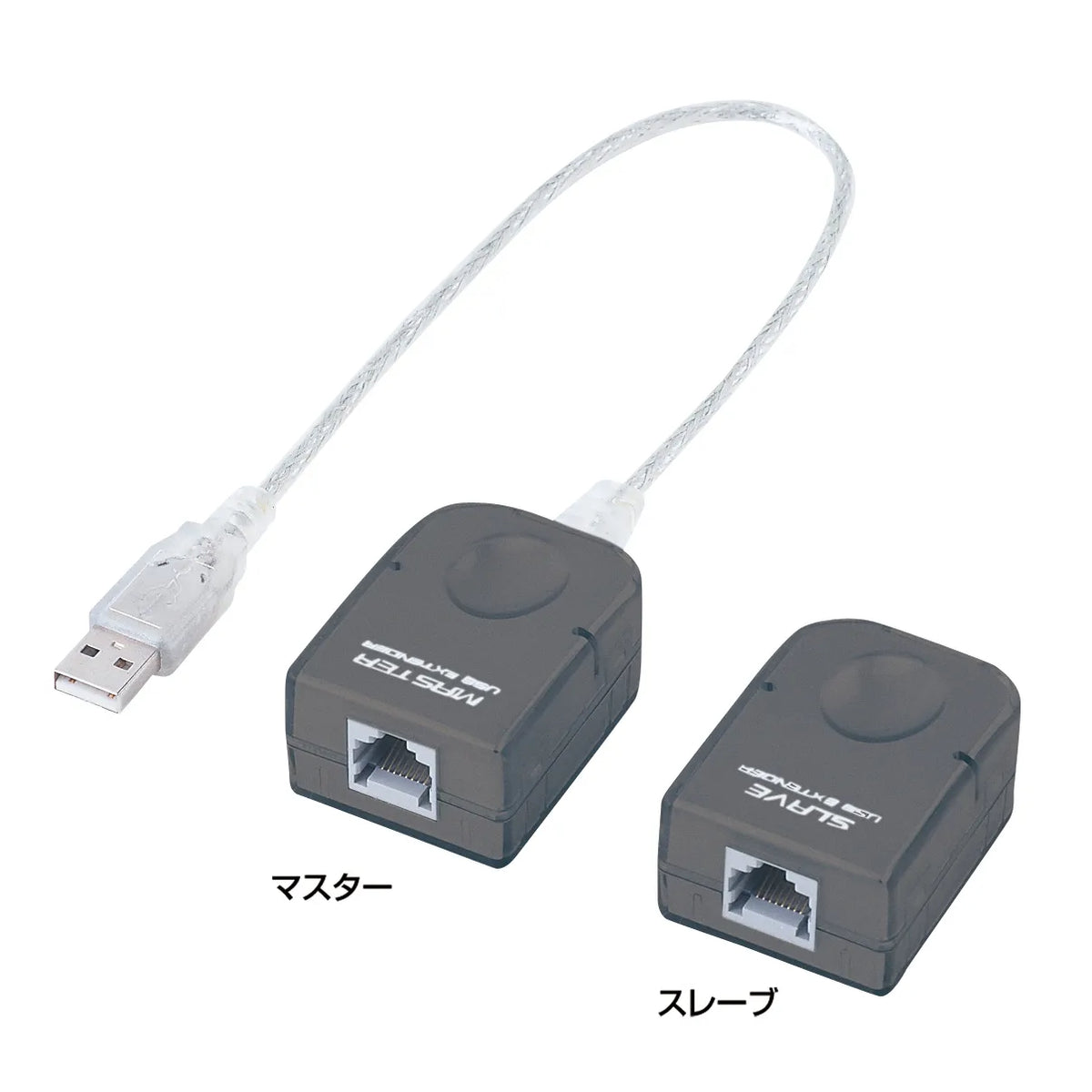
●This extender set allows you to extend USB 1.1 devices up to 40m using a LAN cable (Category 5e).
*LAN cable (Category 5e) and USB cable are not included, so please purchase a cable of the required length separately.
*Please use a straight-through LAN cable. (Cross-through cables are not supported)
●Easy to use without installing driver software.
●Connection procedure
1. Connect the master's USB A connector to the USB port of your computer.
2. Connect the LAN cable to the master's RJ-45 female connector.
3. Connect the LAN cable to the slave's RJ-45 female connector.
4. Connect the device's USB cable to the slave's USB A female connector.
■Supported Standard: USB Ver.1.1 compliant
■Communication Speed: 12Mbps/1.5Mbps (theoretical value)
■Power Supply: Bus power (maximum 100mA)
■Connectors:
Master (PC side)/USB A connector male x1 (30cm direct cable)・RJ-45 female x1
Slave (device side)/RJ-45 female x1・USB A connector female x1
■Size:
Master/Approx. W39 x D54 x H25mm (excluding protrusions)
Slave/Approx. W39 x D54 x H25mm (excluding protrusions)
■Weight:
Master/Approx. 48g
Slave/Approx. 30g
≪Custom orders not accepted≫
We cannot accept custom orders for small quantities. Depending on the quantity, it may be possible, so please contact Sanwa Supply sales for details.
●This extender set allows you to extend USB 1.1 devices up to 40m using a LAN cable (Category 5e).
*LAN cable (Category 5e) and USB cable are not included, so please purchase a cable of the required length separately.
*Please use a straight-through LAN cable. (Cross-through cables are not supported)
●Easy to use without installing driver software.
●Connection procedure
1. Connect the master's USB A connector to the USB port of your computer.
2. Connect the LAN cable to the master's RJ-45 female connector.
3. Connect the LAN cable to the slave's RJ-45 female connector.
4. Connect the device's USB cable to the slave's USB A female connector.
■Supported Standard: USB Ver.1.1 compliant
■Communication Speed: 12Mbps/1.5Mbps (theoretical value)
■Power Supply: Bus power (maximum 100mA)
■Connectors:
Master (PC side)/USB A connector male x1 (30cm direct cable)・RJ-45 female x1
Slave (device side)/RJ-45 female x1・USB A connector female x1
■Size:
Master/Approx. W39 x D54 x H25mm (excluding protrusions)
Slave/Approx. W39 x D54 x H25mm (excluding protrusions)
■Weight:
Master/Approx. 48g
Slave/Approx. 30g
≪Custom orders not accepted≫
We cannot accept custom orders for small quantities. Depending on the quantity, it may be possible, so please contact Sanwa Supply sales for details.
Share