1
/
of
11
SANWA SUPPLY
USB-HDMI Display Adapter (4K x 3 screen output) USB-CVU3HD8
USB-HDMI Display Adapter (4K x 3 screen output) USB-CVU3HD8
GTIN(JAN):4969887784228
SKU:USB-CVU3HD8
Regular price
¥23,232 JPY
Regular price
Sale price
¥23,232 JPY
Quantity
Couldn't load pickup availability
Important: Return Policy
Please review your order carefully before completing the purchase. We do not accept returns or exchanges for customer errors (e.g., wrong size, color, or accidental purchase)
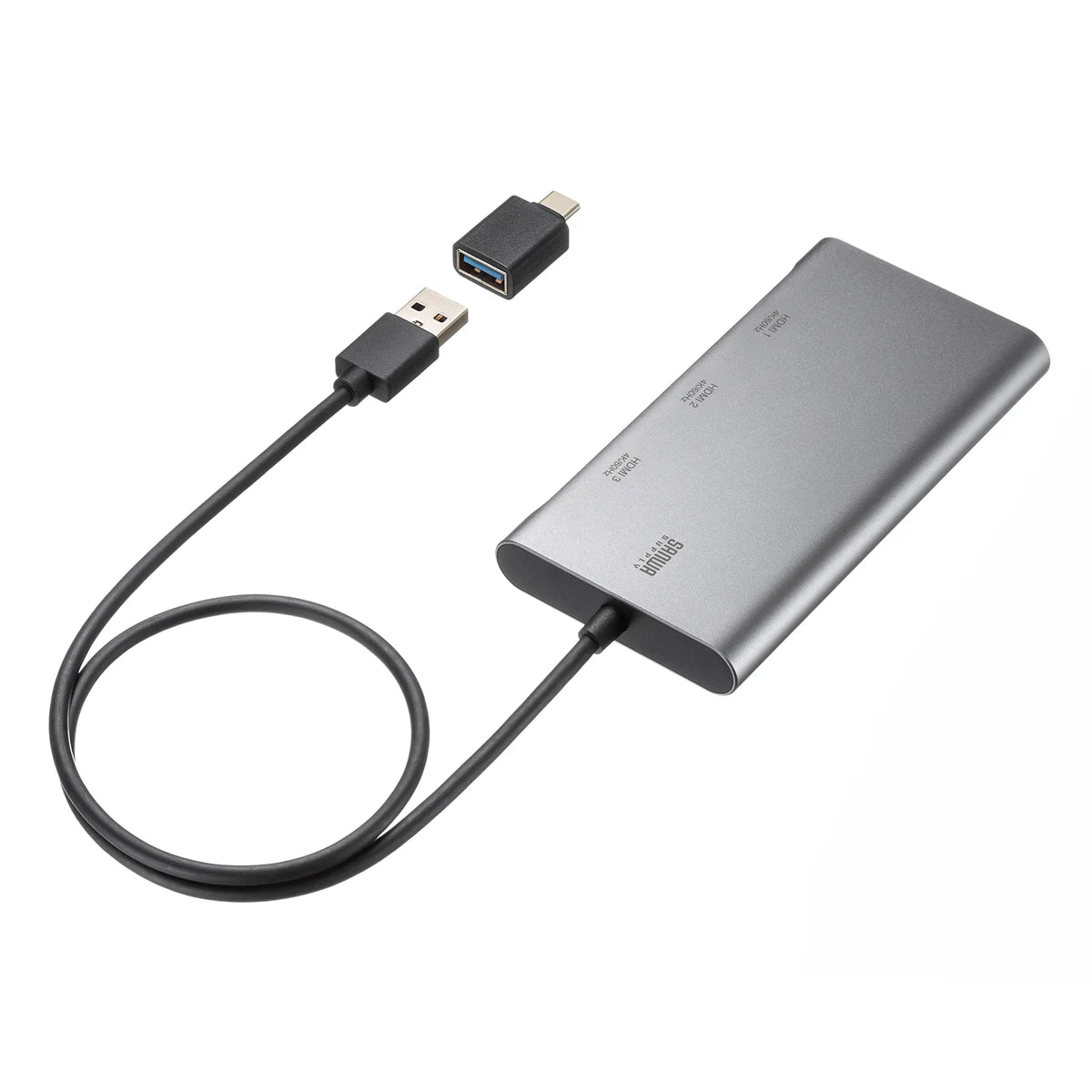
[A USB A to HDMI x3 port display adapter that can output 4K/60Hz video to up to 3 monitors from a USB port. Includes a USB Type-C conversion adapter.]
●This USB-HDMI video conversion adapter can output smooth 4K resolution and 60Hz video to up to 3 screens simultaneously from a USB port.
●Supports output of up to 4K resolution (3840x2160/60Hz), allowing you to output high-definition 4K resolution to up to 3 4K-compatible large-screen TVs, monitors, projectors, etc. simultaneously.
●A USB A to USB Type-C conversion adapter is included, so it can be used with either type of port.
●By using two of these products, you can output video to up to 6 screens from one computer. (Up to 4 screens for Mac)
You can create a multi-display setup with up to 7 screens, including the laptop screen.
*Limited to Full HD resolution or lower.
●Easy to use by simply installing the driver.
●It is a cable-integrated type, so there is no need to prepare a separate USB cable.
【USB Hub】
■Interface Standard: Compliant with USB Specification Ver3.2 Gen1 (USB3.1/3.0) (Backward compatible with USB Ver2.0/1.1)
■Connector Shape (PC Connection Side): USB Type-A, USB Type-C
*USB Type-C conversion adapter included
■Connector Shape (Upstream): USB3.2 Gen1 (3.1/3.0) A connector male
■Power Supply: Bus power
■Conversion Destination Connector: HDMI
【Video Output Port】
■Supported Resolution: Up to 3840x2160 (4K/60Hz) x3
■Maximum Supported Resolution: 4K/60Hz
■Dual Display Output: Supported
*Up to 3 screens
■Maximum Number of Connectable Devices: 6
*Up to 6 screens can be output by using 2 sets. (Up to 4 screens for Mac)
【Common Specifications】
■Supported OS Windows: 11, 10
*For Windows 11/10, the driver may already be installed via Windows Update. If it works simply by connecting this product, please use it as is. If no video is output even after connecting this product, please install the driver.
■Supported OS mac: macOS (Tahoe) 26, macOS (Sequoia) 15, macOS (Sonoma) 14, macOS (Ventura) 13
■Supported Models: Windows-based (DOS/V) PCs, Apple Mac series
Windows-based (DOS/V) PCs
CPU: Intel Core i5-8500/2GHz or higher, AMD Ryzen3 2300U/2GHz or higher
RAM: 8GB or more
HDD: 30MB or more of free disk space.
Apple Mac series
Must be a Mac machine with a supported OS installed.
*Compatible with PCs that have a USB port and whose operation is guaranteed by the PC manufacturer.
*Some PCs and USB devices may not be compatible.
■Maximum current consumption: 900mA
■Operating temperature: 0 to 40 degrees Celsius
■Storage temperature: -10 to 60 degrees Celsius
■Operating humidity: 5 to 80%
Non-condensing
■Storage humidity: 5 to 80%
Non-condensing
■Cable length: Approx. 0.5m
■Set contents: Main unit, USB conversion adapter (USB A to USB Type-C), instruction manual
【Other specifications】
【Limitations】
■This product must be connected directly to the USB port of the PC. It cannot be used with USB hubs or additional USB ports.
■This product cannot play or output copyrighted video (such as Blu-ray movies).
■DirectX, OpenGL, and other APIs are not supported.
■For 4K resolution output, the display must support 4K resolution and the content being output must also support 4K resolution.
■Video playback in clone mode (mirror mode) is not supported.
■While this product is generally plug-and-play, in rare cases, a timing error in USB recognition may cause it to not display or function correctly.
Please try unplugging and plugging it back in. This is not a defect or malfunction of this product.
■This product is intended for use with Windows OS/macOS. It will not work during system startup or on the BIOS screen. (It will not display.)
■This product converts and outputs video signals from the USB port and is heavily dependent on the performance of the computer.
Please be sure to use it with a computer environment that is at least compatible with the supported models.
It is not recommended for games or video playback that switch screens at high speed, as this may cause frame drops.
■Even with compatible models and compatible connected devices/environments, it may not function correctly.
●This USB-HDMI video conversion adapter can output smooth 4K resolution and 60Hz video to up to 3 screens simultaneously from a USB port.
●Supports output of up to 4K resolution (3840x2160/60Hz), allowing you to output high-definition 4K resolution to up to 3 4K-compatible large-screen TVs, monitors, projectors, etc. simultaneously.
●A USB A to USB Type-C conversion adapter is included, so it can be used with either type of port.
●By using two of these products, you can output video to up to 6 screens from one computer. (Up to 4 screens for Mac)
You can create a multi-display setup with up to 7 screens, including the laptop screen.
*Limited to Full HD resolution or lower.
●Easy to use by simply installing the driver.
●It is a cable-integrated type, so there is no need to prepare a separate USB cable.
【USB Hub】
■Interface Standard: Compliant with USB Specification Ver3.2 Gen1 (USB3.1/3.0) (Backward compatible with USB Ver2.0/1.1)
■Connector Shape (PC Connection Side): USB Type-A, USB Type-C
*USB Type-C conversion adapter included
■Connector Shape (Upstream): USB3.2 Gen1 (3.1/3.0) A connector male
■Power Supply: Bus power
■Conversion Destination Connector: HDMI
【Video Output Port】
■Supported Resolution: Up to 3840x2160 (4K/60Hz) x3
■Maximum Supported Resolution: 4K/60Hz
■Dual Display Output: Supported
*Up to 3 screens
■Maximum Number of Connectable Devices: 6
*Up to 6 screens can be output by using 2 sets. (Up to 4 screens for Mac)
【Common Specifications】
■Supported OS Windows: 11, 10
*For Windows 11/10, the driver may already be installed via Windows Update. If it works simply by connecting this product, please use it as is. If no video is output even after connecting this product, please install the driver.
■Supported OS mac: macOS (Tahoe) 26, macOS (Sequoia) 15, macOS (Sonoma) 14, macOS (Ventura) 13
■Supported Models: Windows-based (DOS/V) PCs, Apple Mac series
Windows-based (DOS/V) PCs
CPU: Intel Core i5-8500/2GHz or higher, AMD Ryzen3 2300U/2GHz or higher
RAM: 8GB or more
HDD: 30MB or more of free disk space.
Apple Mac series
Must be a Mac machine with a supported OS installed.
*Compatible with PCs that have a USB port and whose operation is guaranteed by the PC manufacturer.
*Some PCs and USB devices may not be compatible.
■Maximum current consumption: 900mA
■Operating temperature: 0 to 40 degrees Celsius
■Storage temperature: -10 to 60 degrees Celsius
■Operating humidity: 5 to 80%
Non-condensing
■Storage humidity: 5 to 80%
Non-condensing
■Cable length: Approx. 0.5m
■Set contents: Main unit, USB conversion adapter (USB A to USB Type-C), instruction manual
【Other specifications】
【Limitations】
■This product must be connected directly to the USB port of the PC. It cannot be used with USB hubs or additional USB ports.
■This product cannot play or output copyrighted video (such as Blu-ray movies).
■DirectX, OpenGL, and other APIs are not supported.
■For 4K resolution output, the display must support 4K resolution and the content being output must also support 4K resolution.
■Video playback in clone mode (mirror mode) is not supported.
■While this product is generally plug-and-play, in rare cases, a timing error in USB recognition may cause it to not display or function correctly.
Please try unplugging and plugging it back in. This is not a defect or malfunction of this product.
■This product is intended for use with Windows OS/macOS. It will not work during system startup or on the BIOS screen. (It will not display.)
■This product converts and outputs video signals from the USB port and is heavily dependent on the performance of the computer.
Please be sure to use it with a computer environment that is at least compatible with the supported models.
It is not recommended for games or video playback that switch screens at high speed, as this may cause frame drops.
■Even with compatible models and compatible connected devices/environments, it may not function correctly.
Share