Please review your order carefully before completing the purchase. We do not accept returns or exchanges for customer errors (e.g., wrong size, color, or accidental purchase)
[Easy installation with a dial lock. Protects your laptop from theft!]
●Easily attaches to your laptop's security slot to protect it from theft. ●Simple 4-digit dial lock type that you just insert into the security slot and turn the dial. ●You can set the lock's PIN (4 digits) to any number you like. ●If there is any looseness between the laptop and the mounting part, you can use the included spacers (3 sizes) to secure it firmly. <How to install> 1. Wrap the wire around a desk leg or similar object. 2. Set the dial to the unlock number and insert the lock's metal fittings into the security slot of your laptop. 3. Release the button and turn the 4-digit dial to complete the installation. <How to unlock> Set the dial to the unlock number and pull it out while holding down the button. ※If you forget your PIN, you will have to try all the numbers or cut the metal fittings to unlock it. Please make a note of it. *If there is any looseness between the computer and the main unit, please adjust it by attaching the included spacer.
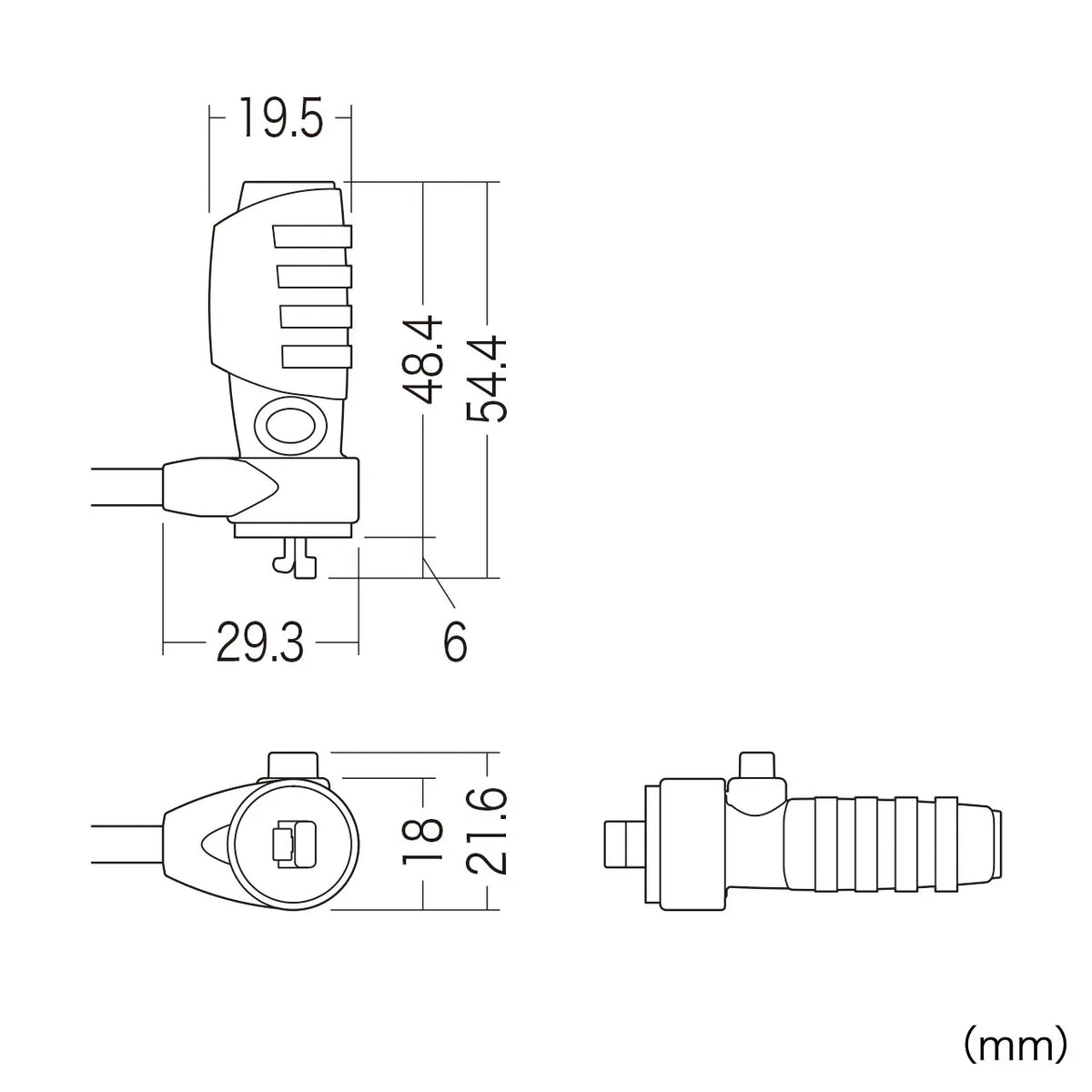
■Size: Wire length/2.0m Wire diameter/4.2mm ■Wire material: Zinc (vinyl coated) ■Installable slot size: 3x7mm ■Installable slot name: Kensington (standard) ■Set contents: Main unit x1, Spacer x3 (3 types of thickness 0.4, 0.8, 1.6mm) 1 each ≪Notes≫ *This product is intended to prevent theft of computers and theft of data, but we cannot guarantee against damage or loss due to theft or accidents that may occur. Please understand.