1
/
of
2
SANWA SUPPLY
Glossy, anti-fingerprint screen protector for 7th generation iPod nano PDA-FIPK43FP
Glossy, anti-fingerprint screen protector for 7th generation iPod nano PDA-FIPK43FP
GTIN(JAN):4969887867518
SKU:PDA-FIPK43FP
Regular price
¥639 JPY
Regular price
Sale price
¥639 JPY
Quantity
Couldn't load pickup availability
Important: Return Policy
Please review your order carefully before completing the purchase. We do not accept returns or exchanges for customer errors (e.g., wrong size, color, or accidental purchase)
[Protects the surface of the 7th generation iPod nano from scratches and dust. Anti-fingerprint glossy type.]
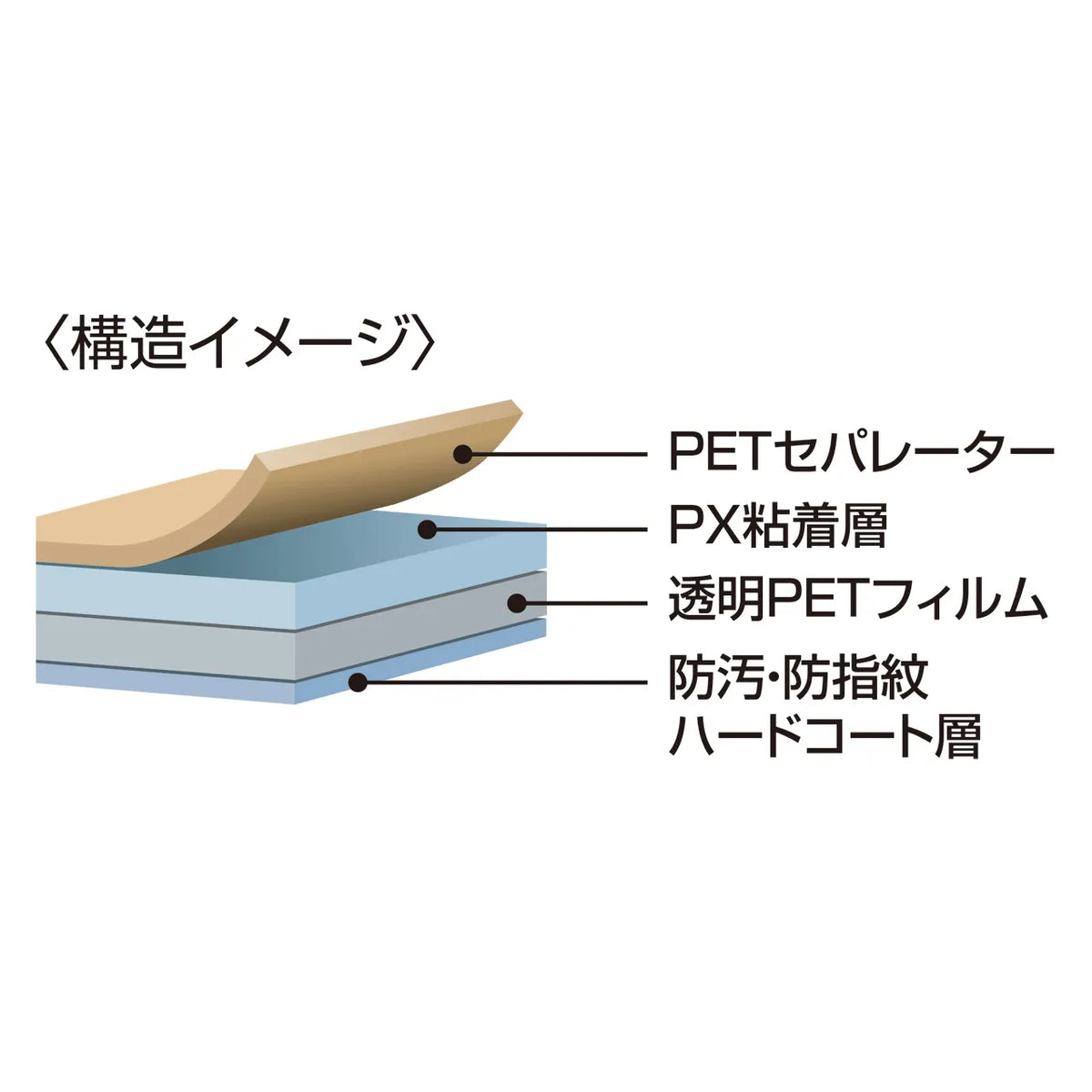
●Uses silicone material on the adhesive surface, so it sticks perfectly to the LCD screen. (Excluding button areas, etc.)
●No double-sided tape is needed.
●It is a dedicated type, so it can be used as is without cutting.
*To make it easier to stick, it is slightly smaller than the size of each part.
●Compatible with touch panels.
●Protects the entire front and back from dust, fingerprints, scratches, etc. The anti-fingerprint coating prevents fingerprints from adhering to the film.
<How to use>
1. Clean the LCD screen and the main unit.
(If dust gets trapped, it will cause air bubbles)
2. Peel off the release film with the protruding part of the protective film.
(Be careful not to let dust get on it)
3. Slowly apply the protective film from the corner of the front of the LCD screen.
※Please be careful not to press too hard on the LCD screen when applying, as this may cause damage.
■Thickness: 0.2mm
■Quantity: 1 sheet
■UV cut: 99.9%
■Reflectance: 4.52%
■Transmittance: 93.5%
■Surface hardness: 2 to 3H
●Uses silicone material on the adhesive surface, so it sticks perfectly to the LCD screen. (Excluding button areas, etc.)
●No double-sided tape is needed.
●It is a dedicated type, so it can be used as is without cutting.
*To make it easier to stick, it is slightly smaller than the size of each part.
●Compatible with touch panels.
●Protects the entire front and back from dust, fingerprints, scratches, etc. The anti-fingerprint coating prevents fingerprints from adhering to the film.
<How to use>
1. Clean the LCD screen and the main unit.
(If dust gets trapped, it will cause air bubbles)
2. Peel off the release film with the protruding part of the protective film.
(Be careful not to let dust get on it)
3. Slowly apply the protective film from the corner of the front of the LCD screen.
※Please be careful not to press too hard on the LCD screen when applying, as this may cause damage.
■Thickness: 0.2mm
■Quantity: 1 sheet
■UV cut: 99.9%
■Reflectance: 4.52%
■Transmittance: 93.5%
■Surface hardness: 2 to 3H
Share