1
/
of
11
SANWA SUPPLY
Mini DisplayPort to DVI Conversion Cable 2m KC-MDPDVA20K
Mini DisplayPort to DVI Conversion Cable 2m KC-MDPDVA20K
GTIN(JAN):4969887774885
SKU:KC-MDPDVA20K
Regular price
¥3,267 JPY
Regular price
Sale price
¥3,267 JPY
Quantity
Couldn't load pickup availability
Important: Return Policy
Please review your order carefully before completing the purchase. We do not accept returns or exchanges for customer errors (e.g., wrong size, color, or accidental purchase)
[A cable that allows you to directly connect a PC with a Mini DisplayPort to a DVI display without an adapter]
This cable is used to connect a PC equipped with a Mini DisplayPort to a display, projector, TV, etc. with a DVI interface.
●It converts the output signal from the PC's Mini DisplayPort to a DVI signal and outputs video to devices with a DVI input terminal, such as displays and projectors.
●With a notebook PC equipped with a Mini DisplayPort, you can set an external display as an extended display to work on a large screen workspace, or use mirror mode for presentations with a projector, etc.
●No driver installation is required. Just connect it and it's ready to use.
●This is an ACTIVE type conversion cable. You can create a multi-monitor environment using a DVI display.
It can be used regardless of whether the PC's DisplayPort output terminal is in single mode or dual mode (DP++).
It has a built-in clock generator, so it can be used even if the PC's own clock generator is insufficient.
●Supports HDCP2.3 and HDCP1.4.
*A computer, display, playback software, and content compatible with each resolution and function are required.
*It is not possible to connect the DVI output port of the computer to the mini DisplayPort of the display monitor.
■Cable length: Approx. 2m
Length between SR-SR
■Cable outer diameter: Approx. 4.8
■Connector shape: Mini DisplayPort connector male - DVI connector male
The screw on the DVI connector side is an inch screw
■Wire material standard (UL): 20276
■Standard: DisplayPort Ver.1.2 compliant
■DisplayPort standard: Ver.1.2
Compliant
■Certification: Not obtained
■DisplayPort destination connector: DVI
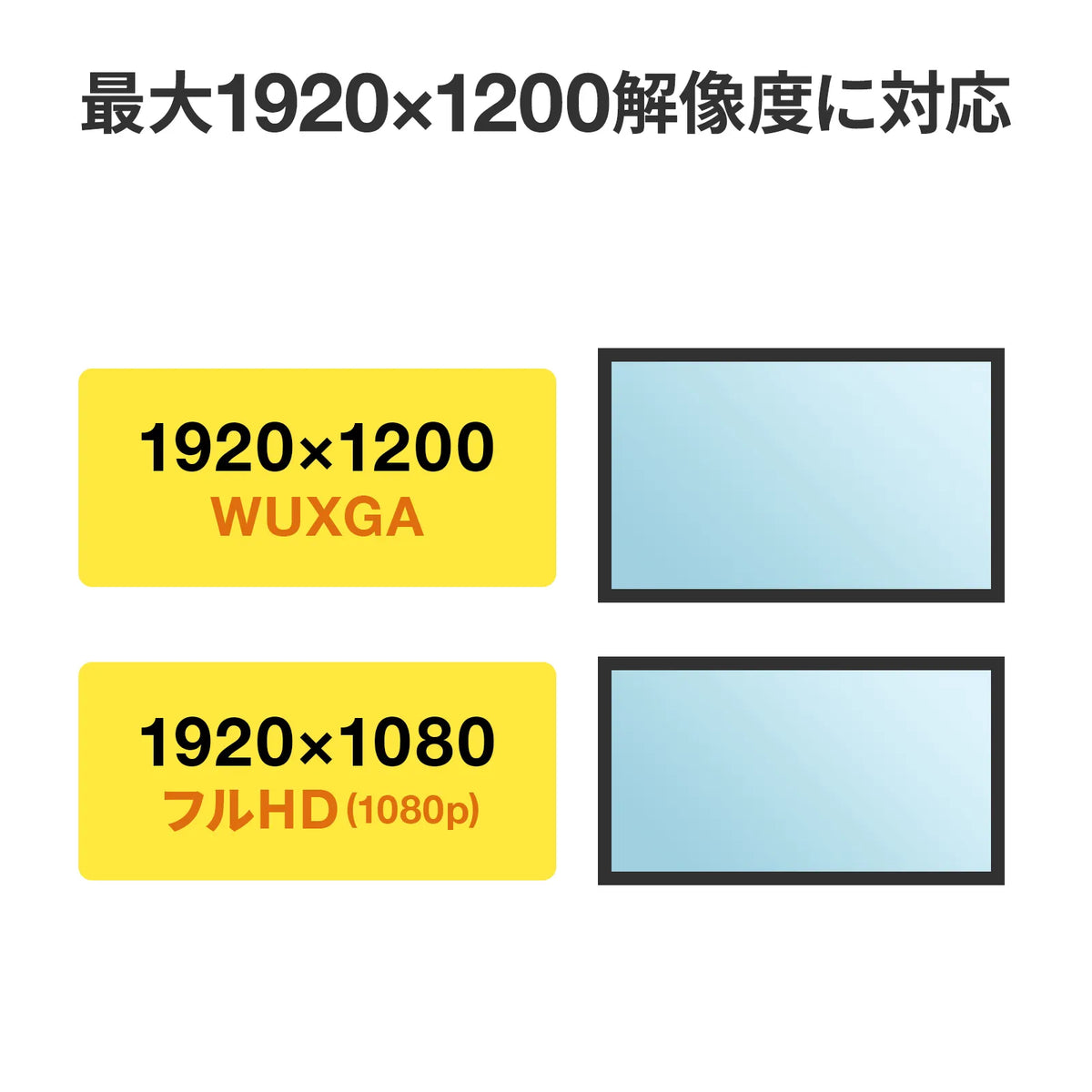
■DisplayPort resolution: Maximum 1920x1200 (WUXGA) / 1920x1080 (Full HD)
■DisplayPort directionality: Yes
■Compatible models:
PCs from various manufacturers equipped with a Mini DisplayPort terminal
Apple Macbook and Macbook Pro series equipped with Mini DisplayPort compatible Thunderbolt/Thunderbolt 2
※Thunderbolt 3/4 (USB Not compatible with models equipped with Type-C.
*This product does not support audio data. Audio data cannot be transmitted even when using a mini DisplayPort with audio output functionality.
*To output audio from a PC to the speakers of a display or TV, you need to connect the audio output terminal of the PC to the audio input terminal of the display or TV with an audio cable. (You will need to adjust the audio output settings of the PC.)
<Displays/TVs>
Display monitors, TVs, projectors, etc. from various manufacturers with a DVI interface
*A cable, TV, or display compatible with each resolution is required.
*DVI dual-link mode is not supported.
*DVI analog mode is not supported. (Output to a VGA display is not possible with a conversion adapter, etc.)
*Input from a PC or AV equipment with DVI output to the mini DisplayPort of a display monitor is not possible.
*This product does not support audio data. Audio data cannot be transmitted even when using a mini DisplayPort with audio output functionality.
*May not be usable depending on the model and environment. Operation is not guaranteed for all devices and environments.
■Connector: Mini DisplayPort connector male - DVI connector male, inch screw
■DVI output: Maximum 1920*1200 (Wide) / 1920*1080 (Full HD)
■Cable length: 2
■Size: (Mini DisplayPort connector part): Approx. W11 x D20.8 x H8 mm *Excluding connector shell, including SR part
(DVI connector part): Approx. W41.6 x D60.6 x H16.5 mm *Excluding connector shell, including SR part
■Color: Black
■Cable diameter: Approx. 4.8 mm
■Cable sheath material: PVC
■Cable standard: UL20276
■Compliant standard: DisplayPort Ver.1.2 compliant
This cable is used to connect a PC equipped with a Mini DisplayPort to a display, projector, TV, etc. with a DVI interface.
●It converts the output signal from the PC's Mini DisplayPort to a DVI signal and outputs video to devices with a DVI input terminal, such as displays and projectors.
●With a notebook PC equipped with a Mini DisplayPort, you can set an external display as an extended display to work on a large screen workspace, or use mirror mode for presentations with a projector, etc.
●No driver installation is required. Just connect it and it's ready to use.
●This is an ACTIVE type conversion cable. You can create a multi-monitor environment using a DVI display.
It can be used regardless of whether the PC's DisplayPort output terminal is in single mode or dual mode (DP++).
It has a built-in clock generator, so it can be used even if the PC's own clock generator is insufficient.
●Supports HDCP2.3 and HDCP1.4.
*A computer, display, playback software, and content compatible with each resolution and function are required.
*It is not possible to connect the DVI output port of the computer to the mini DisplayPort of the display monitor.
■Cable length: Approx. 2m
Length between SR-SR
■Cable outer diameter: Approx. 4.8
■Connector shape: Mini DisplayPort connector male - DVI connector male
The screw on the DVI connector side is an inch screw
■Wire material standard (UL): 20276
■Standard: DisplayPort Ver.1.2 compliant
■DisplayPort standard: Ver.1.2
Compliant
■Certification: Not obtained
■DisplayPort destination connector: DVI
■DisplayPort resolution: Maximum 1920x1200 (WUXGA) / 1920x1080 (Full HD)
■DisplayPort directionality: Yes
■Compatible models:
PCs from various manufacturers equipped with a Mini DisplayPort terminal
Apple Macbook and Macbook Pro series equipped with Mini DisplayPort compatible Thunderbolt/Thunderbolt 2
※Thunderbolt 3/4 (USB Not compatible with models equipped with Type-C.
*This product does not support audio data. Audio data cannot be transmitted even when using a mini DisplayPort with audio output functionality.
*To output audio from a PC to the speakers of a display or TV, you need to connect the audio output terminal of the PC to the audio input terminal of the display or TV with an audio cable. (You will need to adjust the audio output settings of the PC.)
<Displays/TVs>
Display monitors, TVs, projectors, etc. from various manufacturers with a DVI interface
*A cable, TV, or display compatible with each resolution is required.
*DVI dual-link mode is not supported.
*DVI analog mode is not supported. (Output to a VGA display is not possible with a conversion adapter, etc.)
*Input from a PC or AV equipment with DVI output to the mini DisplayPort of a display monitor is not possible.
*This product does not support audio data. Audio data cannot be transmitted even when using a mini DisplayPort with audio output functionality.
*May not be usable depending on the model and environment. Operation is not guaranteed for all devices and environments.
■Connector: Mini DisplayPort connector male - DVI connector male, inch screw
■DVI output: Maximum 1920*1200 (Wide) / 1920*1080 (Full HD)
■Cable length: 2
■Size: (Mini DisplayPort connector part): Approx. W11 x D20.8 x H8 mm *Excluding connector shell, including SR part
(DVI connector part): Approx. W41.6 x D60.6 x H16.5 mm *Excluding connector shell, including SR part
■Color: Black
■Cable diameter: Approx. 4.8 mm
■Cable sheath material: PVC
■Cable standard: UL20276
■Compliant standard: DisplayPort Ver.1.2 compliant
Share