1
/
of
4
SANWA SUPPLY
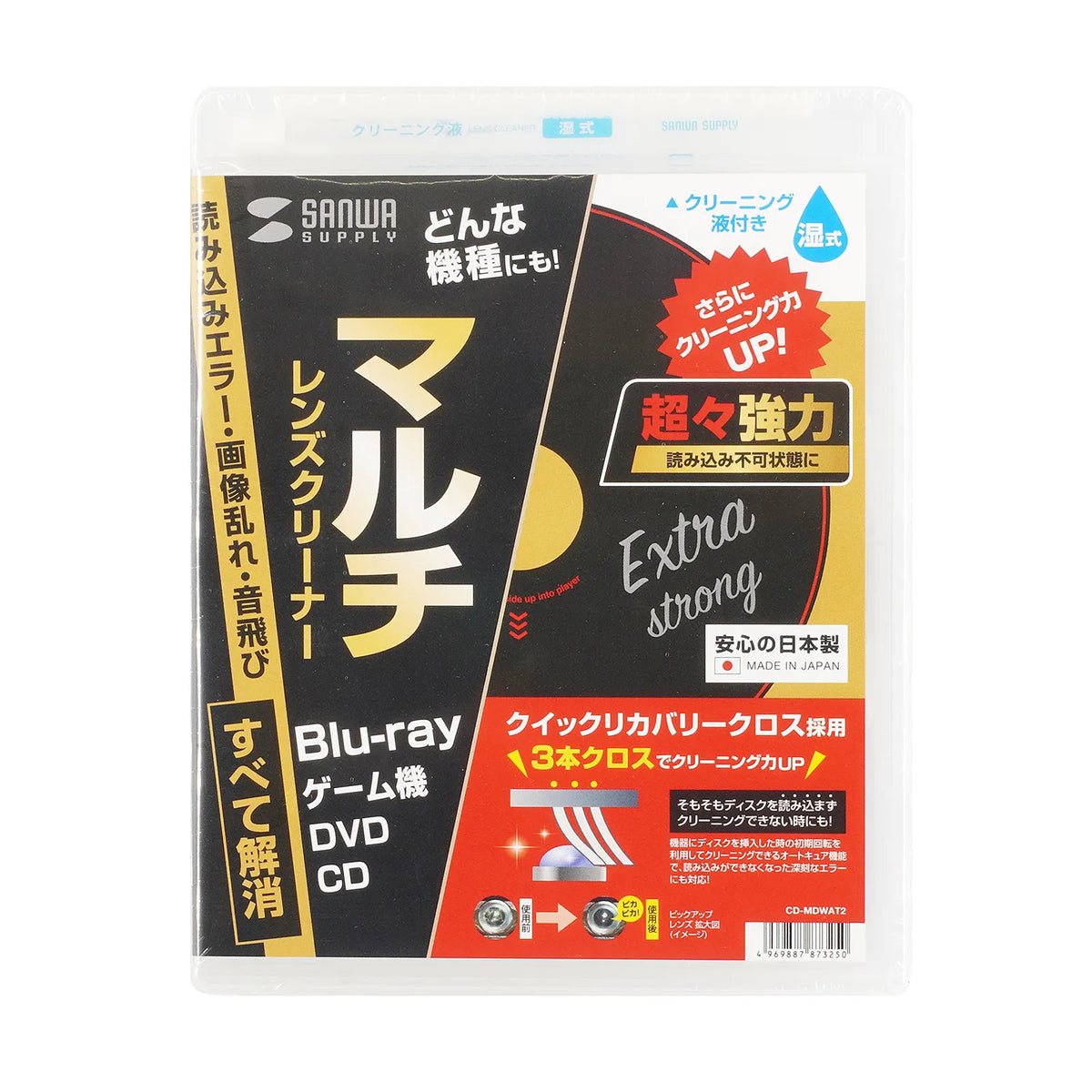
Multi-lens cleaner (wet type, auto-cure function) CD-MDWAT2
Multi-lens cleaner (wet type, auto-cure function) CD-MDWAT2
GTIN(JAN):4969887873250
SKU:CD-MDWAT2
Regular price
¥1,670 JPY
Regular price
Sale price
¥1,670 JPY
Quantity
Couldn't load pickup availability
Important: Return Policy
Please review your order carefully before completing the purchase. We do not accept returns or exchanges for customer errors (e.g., wrong size, color, or accidental purchase)
[Powerful cleaning using the initial rotation of the disc - for serious problems such as read errors!]
●The auto-cure function uses the initial rotation when the disc is inserted into the device to clean it, and can handle serious errors such as when the disc cannot be read.
●Compatible with various models.
●The lens-friendly cloth flocking method does not put stress on the lens.
●Can be used with slot-in and slot-loading types.
●The auto-start function allows for easy and quick cleaning.
≪How to use≫
1. Remove the lens cleaner from the case and apply the cleaning fluid to the three-tiered cloth on the back.
2. Set the disc with the cloth side down, just like a normal disc.
3. The cleaner will rotate automatically and perform lens cleaning.
Cleaning will start automatically and finish in about 15 to 30 seconds.
No video or audio will be played during cleaning.
You may hear a "rattling" sound from inside the device during cleaning, but this is the sound of cleaning in progress.
On devices with a monitor screen, messages such as "Could not read disc," "This disc cannot be played," "Playback impossible," "Please check the disc," "Read error," "NO DISC," "Err," or "DISC ERROR" may be displayed, but cleaning is being performed safely.
4. If it does not stop for more than 60 seconds, please stop it using the stop button.
5. Once cleaning is complete, remove the lens cleaner and store it in its dedicated case.
≪Caution≫
1. Cleaning is not possible if the disc does not start to rotate.
2. This lens cleaner does not guarantee that the symptoms of dirt will improve. Extreme dirt or sticky dirt may not improve.
3. If the symptoms do not improve after cleaning 2 to 3 times in a row, there may be other causes, so please consult the store where you purchased the device or the manufacturer.
4. This lens cleaner does not repair malfunctions other than lens dirt.
≪Caution≫ (Cleaning Fluid)
1. Do not use the cleaning fluid for purposes other than pick-up lens cleaning.
2. When storing, close the bottle cap tightly and do not leave it in direct sunlight, inside a car, or in places with high temperature and humidity.
3. Keep out of reach of infants and children.
■Estimated number of uses: 50 times
■Compatible OS Windows: 11, 10, 8.1, 8, 7, Vista, XP, 2000
■Compatible OS mac: macOS (Ventura) 13, macOS (Monterey) 12, macOS (BigSur) 11, macOS 10.12, 10.14, 10.15
Precautions for use
1. If the disc does not rotate initially, cleaning is not possible.
2. This lens cleaner does not guarantee that the symptoms of dirt will improve. Extreme dirt or sticky dirt may not improve.
If the symptoms do not improve after cleaning 3 times in a row, other causes may be at play, so please consult the store where you purchased the equipment or the manufacturer.
4 This lens cleaner does not repair malfunctions other than lens dirt.
Precautions for Use (Cleaning Solution)
1 Do not use the cleaning solution for purposes other than pick-up lens cleaning.
2 When storing, close the bottle cap tightly and do not leave it in direct sunlight, inside a car, or in places with high temperature and humidity.
3 Keep out of reach of infants and children.
●The auto-cure function uses the initial rotation when the disc is inserted into the device to clean it, and can handle serious errors such as when the disc cannot be read.
●Compatible with various models.
●The lens-friendly cloth flocking method does not put stress on the lens.
●Can be used with slot-in and slot-loading types.
●The auto-start function allows for easy and quick cleaning.
≪How to use≫
1. Remove the lens cleaner from the case and apply the cleaning fluid to the three-tiered cloth on the back.
2. Set the disc with the cloth side down, just like a normal disc.
3. The cleaner will rotate automatically and perform lens cleaning.
Cleaning will start automatically and finish in about 15 to 30 seconds.
No video or audio will be played during cleaning.
You may hear a "rattling" sound from inside the device during cleaning, but this is the sound of cleaning in progress.
On devices with a monitor screen, messages such as "Could not read disc," "This disc cannot be played," "Playback impossible," "Please check the disc," "Read error," "NO DISC," "Err," or "DISC ERROR" may be displayed, but cleaning is being performed safely.
4. If it does not stop for more than 60 seconds, please stop it using the stop button.
5. Once cleaning is complete, remove the lens cleaner and store it in its dedicated case.
≪Caution≫
1. Cleaning is not possible if the disc does not start to rotate.
2. This lens cleaner does not guarantee that the symptoms of dirt will improve. Extreme dirt or sticky dirt may not improve.
3. If the symptoms do not improve after cleaning 2 to 3 times in a row, there may be other causes, so please consult the store where you purchased the device or the manufacturer.
4. This lens cleaner does not repair malfunctions other than lens dirt.
≪Caution≫ (Cleaning Fluid)
1. Do not use the cleaning fluid for purposes other than pick-up lens cleaning.
2. When storing, close the bottle cap tightly and do not leave it in direct sunlight, inside a car, or in places with high temperature and humidity.
3. Keep out of reach of infants and children.
■Estimated number of uses: 50 times
■Compatible OS Windows: 11, 10, 8.1, 8, 7, Vista, XP, 2000
■Compatible OS mac: macOS (Ventura) 13, macOS (Monterey) 12, macOS (BigSur) 11, macOS 10.12, 10.14, 10.15
Precautions for use
1. If the disc does not rotate initially, cleaning is not possible.
2. This lens cleaner does not guarantee that the symptoms of dirt will improve. Extreme dirt or sticky dirt may not improve.
If the symptoms do not improve after cleaning 3 times in a row, other causes may be at play, so please consult the store where you purchased the equipment or the manufacturer.
4 This lens cleaner does not repair malfunctions other than lens dirt.
Precautions for Use (Cleaning Solution)
1 Do not use the cleaning solution for purposes other than pick-up lens cleaning.
2 When storing, close the bottle cap tightly and do not leave it in direct sunlight, inside a car, or in places with high temperature and humidity.
3 Keep out of reach of infants and children.
Share