1
/
of
11
SANWA SUPPLY
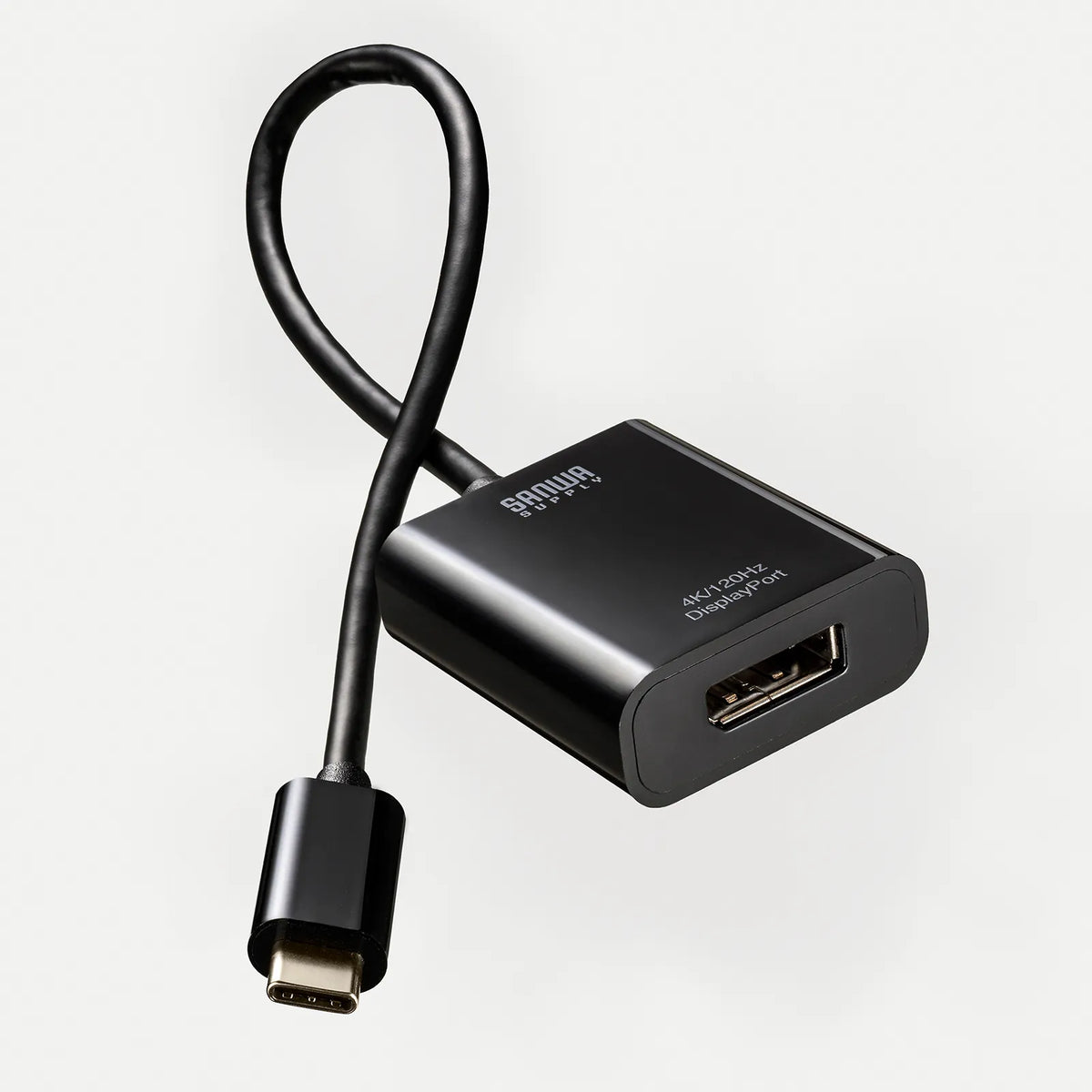
USB Type C to DisplayPort Conversion Adapter (4K/120Hz/HDR compatible) AD-ALCDP02
USB Type C to DisplayPort Conversion Adapter (4K/120Hz/HDR compatible) AD-ALCDP02
GTIN(JAN):4969887774717
SKU:AD-ALCDP02
Regular price
¥2,759 JPY
Regular price
Sale price
¥2,759 JPY
Quantity
Couldn't load pickup availability
Important: Return Policy
Please review your order carefully before completing the purchase. We do not accept returns or exchanges for customer errors (e.g., wrong size, color, or accidental purchase)
[A conversion adapter that converts a Type-C port compatible with DisplayPort Altmode to DisplayPort for video output. Supports high-definition 4K/120Hz/HDR.]
●Allows output of video and audio from a PC or tablet equipped with USB Type-C (only Type-C ports that support video output) to a display or TV with a DisplayPort input terminal.
●Supports DisplayPort Alternate Mode for adding displays via USB Type-C connection, allowing for easy multi-display environment (mirror mode/extended mode) without software installation.
●Supports resolutions up to 4K (3840x2160)/120Hz, outputting beautiful, high-definition DisplayPort signals.
●Supports high-brightness HDR (High Dynamic Range) video and is compatible with HDCP 1.4/2.2/2.3.
●The 20cm cable length makes connection and handling easy.
<Please check before purchasing>
※Can be used with PCs equipped with a USB Type-C port and compatible with DisplayPort Alternate Mode.
※Not compatible with Nintendo Switch®/Nintendo Switch 2®.
【USB】
■Interface standard: USB 5Gbps (USB3.2 Gen1/3.1 Gen1/3.0) compliant
■Connector shape (PC connection side): USB Type-C
■Power supply: Bus power
【Video output port】
■Port shape: DisplayPort female
■Maximum supported resolution: 4K/120Hz
■Supported resolution: Maximum display resolution: 4K/120Hz
※Supports resolutions lower than the maximum display resolution, such as 4K/60Hz and 1080p/60Hz, in addition to 4K/120Hz.
※The PC, projector or display, and connection cable must all support the same resolution.
■HDR support: Supported
■HDCP: HDCP1.4, HDCP2.2, HDCP2.3
【Video Standard】
■DisplayPort Standard: Ver.1.2
【Common Specifications】
■Current Consumption: 40mA
(Maximum)
■Supported OS Windows: 11, 10
■Supported OS mac: macOS (Sequoia) 15, macOS (Sonoma) 14, macOS (Ventura) 13, macOS (Monterey) 12, macOS (BigSur) 11, macOS 10.12 to 10.15
■Supported OS iPadOS: iPadOS 13 to 18
■Supported OS iOS: iOS 17・18
■Supported OS ChromeOS: ChromeOS
■Supported Devices:
Supported PCs:
Equipped with a USB Type-C connector as standard, DisplayPort Alt Windows-based (DOS/V) PCs, Apple Mac series, iPad, and Chrome OS PCs that support this mode
*Nintendo Switch is not supported
>
Compatible output devices:
Displays and projectors from various manufacturers
*Models with DisplayPort.
*Cables and displays compatible with each resolution are required.
*May not function properly depending on the environment and equipment.
*Operation is not guaranteed with all devices.
■Shielding method: Triple shielding
■Cable length: Approx. 0.2
■Cable diameter: Approx. 4mm
【】
■PC (output) side: USB Type-C
■Display (display) side: DisplayPort
■Resolution (for MD): 4K
【Common specifications】
■Operating temperature: 0 to 45 degrees
■Storage temperature: -10 to 70 degrees
■Operating humidity: 10 to 85%
Non-condensing
■Storage humidity: 5 to 90%
Non-condensing
●Allows output of video and audio from a PC or tablet equipped with USB Type-C (only Type-C ports that support video output) to a display or TV with a DisplayPort input terminal.
●Supports DisplayPort Alternate Mode for adding displays via USB Type-C connection, allowing for easy multi-display environment (mirror mode/extended mode) without software installation.
●Supports resolutions up to 4K (3840x2160)/120Hz, outputting beautiful, high-definition DisplayPort signals.
●Supports high-brightness HDR (High Dynamic Range) video and is compatible with HDCP 1.4/2.2/2.3.
●The 20cm cable length makes connection and handling easy.
<Please check before purchasing>
※Can be used with PCs equipped with a USB Type-C port and compatible with DisplayPort Alternate Mode.
※Not compatible with Nintendo Switch®/Nintendo Switch 2®.
【USB】
■Interface standard: USB 5Gbps (USB3.2 Gen1/3.1 Gen1/3.0) compliant
■Connector shape (PC connection side): USB Type-C
■Power supply: Bus power
【Video output port】
■Port shape: DisplayPort female
■Maximum supported resolution: 4K/120Hz
■Supported resolution: Maximum display resolution: 4K/120Hz
※Supports resolutions lower than the maximum display resolution, such as 4K/60Hz and 1080p/60Hz, in addition to 4K/120Hz.
※The PC, projector or display, and connection cable must all support the same resolution.
■HDR support: Supported
■HDCP: HDCP1.4, HDCP2.2, HDCP2.3
【Video Standard】
■DisplayPort Standard: Ver.1.2
【Common Specifications】
■Current Consumption: 40mA
(Maximum)
■Supported OS Windows: 11, 10
■Supported OS mac: macOS (Sequoia) 15, macOS (Sonoma) 14, macOS (Ventura) 13, macOS (Monterey) 12, macOS (BigSur) 11, macOS 10.12 to 10.15
■Supported OS iPadOS: iPadOS 13 to 18
■Supported OS iOS: iOS 17・18
■Supported OS ChromeOS: ChromeOS
■Supported Devices:
Supported PCs:
Equipped with a USB Type-C connector as standard, DisplayPort Alt Windows-based (DOS/V) PCs, Apple Mac series, iPad, and Chrome OS PCs that support this mode
*Nintendo Switch is not supported
>
Compatible output devices:
Displays and projectors from various manufacturers
*Models with DisplayPort.
*Cables and displays compatible with each resolution are required.
*May not function properly depending on the environment and equipment.
*Operation is not guaranteed with all devices.
■Shielding method: Triple shielding
■Cable length: Approx. 0.2
■Cable diameter: Approx. 4mm
【】
■PC (output) side: USB Type-C
■Display (display) side: DisplayPort
■Resolution (for MD): 4K
【Common specifications】
■Operating temperature: 0 to 45 degrees
■Storage temperature: -10 to 70 degrees
■Operating humidity: 10 to 85%
Non-condensing
■Storage humidity: 5 to 90%
Non-condensing
Share